Mechwarrior 5: Mercenaries and Mechwarrior 5: Clans are pure nerd heaven, with deep complexity, advanced systems, and quirks that every fan of stompy robot warfare should at least give an honest try. I personally love the games despite being terrible at playing them.
In this article, I will explain how I use a Throttle and mouse combination for my gameplay to maximize my fun while playing them.
Why mouse?
...when joystick is an alternative?
Since the Mechwarrior 5 games don't support direct translation of joystick movement to the cursor position, I have spent a crazy amount of time trying to build my own software to translate joystick movement to mouse movement that works well in the game. It worked OK for my needs, but it never felt as natural as just playing with a regular mouse. The main problem is that if you move your mouse beyond the rotation and pitch of the in-game cockpit, the mouse's center position on screen changes. This forces you to have a mechanism to center the mouse when the joystick is centered. Additionally, since every mech and its variants/upgrades have their own rotation and pitch limitations, you essentially have to set up a profile for each mech and variant you play. This became just too much of a hassle.
Using a joystick as mouse
If you want, you can try out the simple app I built to translate joystick position to mouse position. It's not perfect, but it adds to the immersion.
Check out this article to get a link to the latest release and a short user manual.
I really wish the developers of Mechwarrior 5 could add a proper absolute joystick aim that mapped the joystick's movement to the mech's movement limits. This could have made the game work well with joystick bases with removable centering springs, such as the Virpil Mongoose CM3.
Using a mouse, you will lose a part of the pure fun and immersion of using peripherals to play the games, but in return, you get the satisfaction of actually being able to aim exactly where you want to. A standard mouse with 3-5 buttons and a scroll wheel is perfect for Mechwarrior 5. That way, it's intuitive to navigate menus, you can bind firegroups to all your mouse buttons, and use the scroll wheel to zoom. The sensitivity of your mouse is simply controlled using the settings in Windows, or on the mouse itself. It's obvious that the game was designed with mouse input first, then joystick support was slapped on to satisfy purists who insist on playing with analogue inputs.
Throttle
...for those who still love analogue inputs!
Thankfully, the game has a proper input handling of throttle inputs for forward and backward movement, and rudders for turning the battlemechs. It's also very easy to map buttons on the throttle to actions in-game. That means I can still enjoy the feel of playing with peripherals, even though I have accepted that the mouse is the better input method for controlling aim in the game.
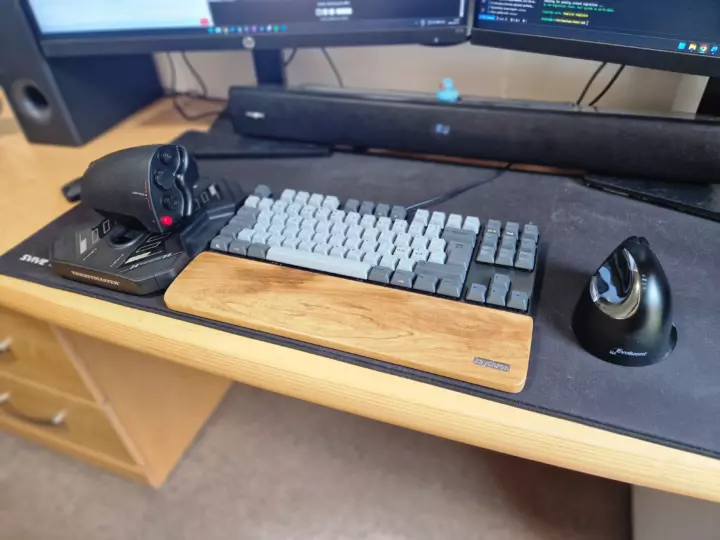
Simple HOTAM dorm-room setup
Image © Stanley Skarshaug
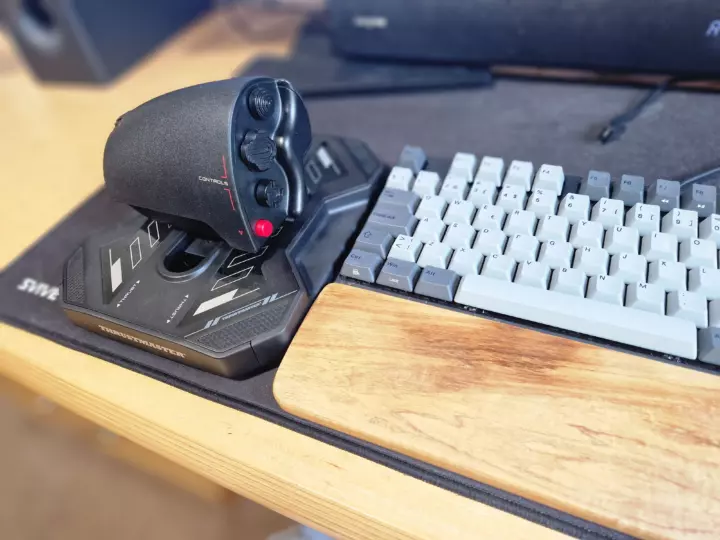
The Thrustmaster SOL-R 6 throttle fits neetly besides the keyboard
Image © Stanley Skarshaug
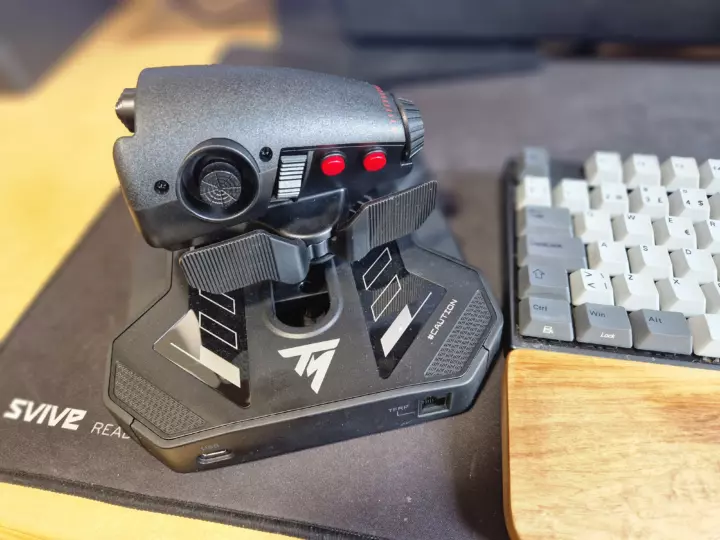
The backside of the SOL-R throttle has just enought buttons
Image © Stanley Skarshaug
I have a love-hate relationship with Thrustmaster gaming devices because I think their quality is overpriced compared to other brands, but the Thrustmaster SOL-R 6 throttle is a really good product and a perfect fit for the Mechwarrior games. Especially since it has an optional center detent that lets me feel when the throttle is centered. That way, it's easy to stop the mech and put it into reverse without needing a reverse button. I also love that it has a sliding action instead of the traditional rotational action found on most flight-sim throttles. This gives the throttle a low profile that fits neatly on my desk next to my keyboard, keeping it in an ergonomic position without the need for chair or desk mounts. I also appreciate that the throttle fits medium-sized adult hands and has just enough buttons in the right positions for my needs in Mechwarrior 5.
Game setup
HOTAM setup
MechWarrior 5: Mercenaries and MechWarrior 5: Clans support a full HOTAS setup but require some manual configuration of a config file, and the in-game button-binding solution is not very good. I recommend using Joystick Gremlin to configure joystick-to-keyboard mappings for everything except analog inputs. That way, you can bypass a lot of in-game issues related to key bindings.
I use rudder pedals to steer the mech's feet, the throttle to control forward/backward speed, and a mouse to rotate or tilt the mech's body. On my mouse, I have 5 buttons that are mapped to fire 5 weapon groups, and a scroll wheel for zoom. On my throttle, I have plenty of buttons to bind all other functions on the mech and game menus.
START_BIND
NAME: vJoy Stick
VID: 0x1234
PID: 0xBEAD
BUTTON: InButton=GenericUSBController_Button1, OutButtons=Joystick_Button1
BUTTON: InButton=GenericUSBController_Button2, OutButtons=Joystick_Button2
BUTTON: InButton=GenericUSBController_Button3, OutButtons=Joystick_Button3
BUTTON: InButton=GenericUSBController_Button4, OutButtons=Joystick_Button4
BUTTON: InButton=GenericUSBController_Button5, OutButtons=Joystick_Button5
BUTTON: InButton=GenericUSBController_Button6, OutButtons=Joystick_Button6
BUTTON: InButton=GenericUSBController_Button7, OutButtons=Joystick_Button7
BUTTON: InButton=GenericUSBController_Button8, OutButtons=Joystick_Button8
BUTTON: InButton=GenericUSBController_Button9, OutButtons=Joystick_Button9
BUTTON: InButton=GenericUSBController_Button10, OutButtons=Joystick_Button10
BUTTON: InButton=GenericUSBController_Button11, OutButtons=Joystick_Button11
BUTTON: InButton=GenericUSBController_Button12, OutButtons=Joystick_Button12
BUTTON: InButton=GenericUSBController_Button13, OutButtons=Joystick_Button13
BUTTON: InButton=GenericUSBController_Button14, OutButtons=Joystick_Button14
BUTTON: InButton=GenericUSBController_Button15, OutButtons=Joystick_Button15
BUTTON: InButton=GenericUSBController_Button16, OutButtons=Joystick_Button16
BUTTON: InButton=GenericUSBController_Button17, OutButtons=Joystick_Button17
BUTTON: InButton=GenericUSBController_Button18, OutButtons=Joystick_Button18
BUTTON: InButton=GenericUSBController_Button19, OutButtons=Joystick_Button19
BUTTON: InButton=GenericUSBController_Button20, OutButtons=Joystick_Button20
BUTTON: InButton=GenericUSBController_Button21, OutButtons=Throttle_Button1
BUTTON: InButton=GenericUSBController_Button22, OutButtons=Throttle_Button2
BUTTON: InButton=GenericUSBController_Button23, OutButtons=Throttle_Button3
BUTTON: InButton=GenericUSBController_Button24, OutButtons=Throttle_Button4
BUTTON: InButton=GenericUSBController_Button25, OutButtons=Throttle_Button5
BUTTON: InButton=GenericUSBController_Button26, OutButtons=Throttle_Button6
BUTTON: InButton=GenericUSBController_Button27, OutButtons=Throttle_Button7
BUTTON: InButton=GenericUSBController_Button28, OutButtons=Throttle_Button8
BUTTON: InButton=GenericUSBController_Button29, OutButtons=Throttle_Button9
BUTTON: InButton=GenericUSBController_Button30, OutButtons=Throttle_Button10
BUTTON: InButton=GenericUSBController_Button31, OutButtons=Throttle_Button11
BUTTON: InButton=GenericUSBController_Button32, OutButtons=Throttle_Button12
BUTTON: InButton=GenericUSBController_Button33, OutButtons=Throttle_Button13
BUTTON: InButton=GenericUSBController_Button34, OutButtons=Throttle_Button14
BUTTON: InButton=GenericUSBController_Button35, OutButtons=Throttle_Button15
BUTTON: InButton=GenericUSBController_Button36, OutButtons=Throttle_Button16
BUTTON: InButton=GenericUSBController_Button37, OutButtons=Throttle_Button17
BUTTON: InButton=GenericUSBController_Button38, OutButtons=Throttle_Button18
BUTTON: InButton=GenericUSBController_Button39, OutButtons=Throttle_Button19
BUTTON: InButton=GenericUSBController_Button40, OutButtons=Throttle_Button20
AXIS: InAxis=GenericUSBController_Axis1, OutAxis=Joystick_Axis1, Invert=FALSE, Offset=-0.5, DeadZoneMin=0.0, DeadZoneMax=0.0, MapToDeadZone=FALSE
AXIS: InAxis=GenericUSBController_Axis2, OutAxis=Joystick_Axis2, Invert=FALSE, Offset=-0.5, DeadZoneMin=0.0, DeadZoneMax=0.0, MapToDeadZone=FALSE
AXIS: InAxis=GenericUSBController_Axis3, OutAxis=Joystick_Axis3, Invert=FALSE, Offset=-0.5, DeadZoneMin=0.0, DeadZoneMax=0.0, MapToDeadZone=FALSE
AXIS: InAxis=GenericUSBController_Axis4, OutAxis=Joystick_Axis4, Invert=FALSE, Offset=-0.5, DeadZoneMin=0.0, DeadZoneMax=0.0, MapToDeadZone=FALSE
MW5: Clans
Problems with joysticks
If you want to play with joystick devices such as a throttle, joysticks, and rudder pedals, you cannot start the game while they are plugged into your computer. If you start the game with them plugged in, you will most likely have an issue where in-game buttons become unclickable. The issue is related to the timing of input polling. This causes an issue with hit detection on most clickable buttons, etc., when you are not piloting a mech. This makes the game virtually unplayable.
Thankfully, the solution is really simple. Just start the game without any joystick devices plugged in. Once the title screen has loaded, you can connect the joystick devices, start your joystick gremlin profile, and return to the game and play without any issues.